Puzzle Time - Daily Puzzles!
Karma Games | Word Puzzles & Games to play dailyWord
4.29.00 Reviews
- Version
- 8.4.2
- Installs
- 50.00K
- Age Rating
- Everyone
Screenshots
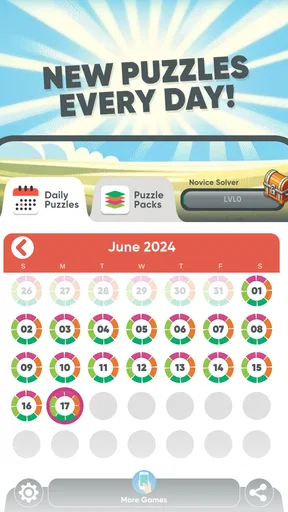
Our Review of Puzzle Time - Daily Puzzles!
 Analysis by Appyee
I enjoy word games most when they fit into the edges of a normal day rather than demanding a long, uninterrupted session. Puzzle Time - Daily Puzzles! takes that approach by bringing several familiar puzzle formats into one free game from Karma Games | Word Puzzles & Games to play daily. I found it more useful as a flexible collection for short breaks than as one deeply specialized puzzle experience.
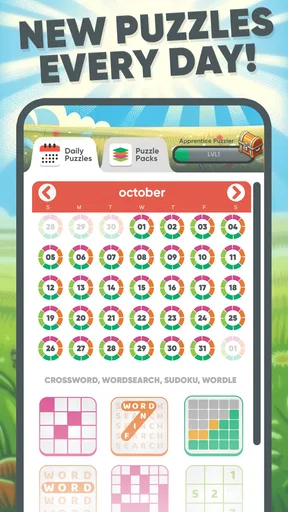
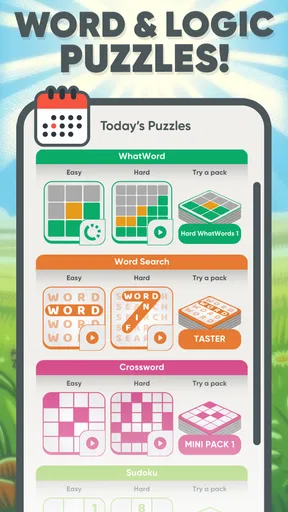
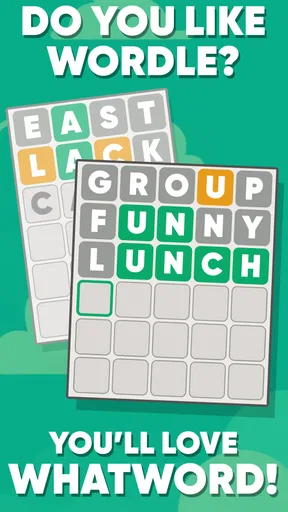
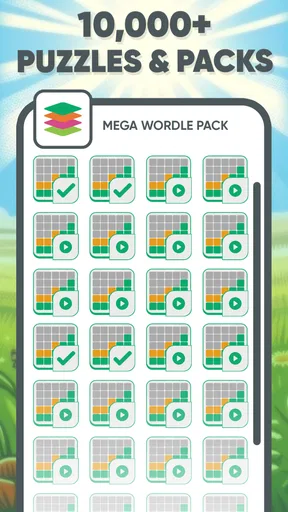
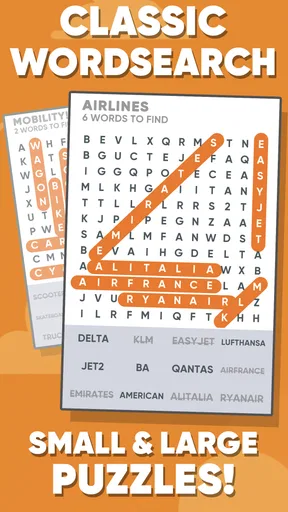
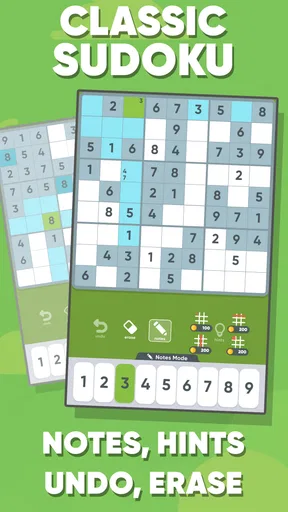
The selection is broad: crossword-style play, wordsearch, Wordle-style guessing, Sudoku, and other daily puzzles sit under the same roof. That variety matters for accessibility because different formats ask for different kinds of attention, reading, memory, and hand control. A player who struggles with one mode may still find another comfortable. At the same time, putting many puzzle types together can make the experience feel less focused than a dedicated crossword, Sudoku, or word-guessing app.
It is listed as a free game for everyone, with optional in-app purchases ranging from $1.49 to $49.99 per item. The game has an average rating of 4.2 from around 700 ratings and has passed 50 thousand installs, which suggests a modest but established audience rather than a huge mainstream community. I would approach it as a casual daily companion, not as a replacement for a specialist puzzle tool.
How comfortably the puzzle collection can be read and navigated
I’ll focus on how the different puzzle formats affect reading and navigation, since choosing the right kind of task can make a mixed collection easier to approach. I’ll also consider a practical way to keep that choice simple, which leads into how the individual modes feel during everyday play.
A useful mix for changing levels of concentration
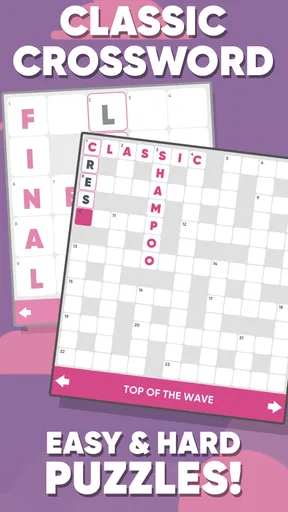
The strongest inclusive idea here is the range of puzzle structures. A crossword asks me to read clues, hold possible answers in mind, and move between the clue and grid. A wordsearch is more visual and can be approached with a scanning strategy. Wordle-style play reduces the task to a small number of guesses and a compact word decision, while Sudoku shifts the emphasis away from vocabulary and toward logical elimination.
That means I can choose a format according to how alert I feel. On a quiet morning, I may be willing to work through clues. During a short wait, a small word puzzle is easier to start and stop. If words are not appealing, Sudoku offers a different route into the game. This is more than simple variety: it gives players a way to avoid treating one difficult format as a test of their overall ability.
I also like the potential for a personal routine. Instead of opening the game with the expectation of finishing everything, I can select one puzzle that matches my available attention. Someone who becomes tired by dense text can favor the more visual wordsearch format, while a player who finds letter grids tiring may prefer the number-based logic of Sudoku. The collection works best when I treat it as a menu rather than a checklist.
Navigation has an important accessibility role
For a mixed puzzle app, clear movement between modes is especially important. Every extra step, unclear icon, or unexpected return to a previous screen adds friction for people with limited attention, memory difficulties, or slower navigation. Puzzle Time is easier to understand when I approach each format as its own small activity, but the overall collection still requires me to remember where a preferred puzzle is located.
My practical advice is to choose one regular starting point instead of browsing every option each time. If you are helping a family member try it, introduce the formats one at a time and let that person settle on a comfortable favorite. This reduces the cognitive load created by the app’s breadth and makes the first session less overwhelming.
The game’s daily-puzzle concept can also support routine, but routines work differently for different players. Some people appreciate a familiar task waiting each day; others feel pressured when a daily item appears to create an obligation. I would use the daily content as an invitation, not a requirement. Missing a day should not turn a relaxing activity into a source of frustration.
Text-heavy formats need deliberate pacing
Crosswords and word-guessing modes naturally place more demands on reading. Clues can require quick interpretation, spelling confidence, and the ability to switch between possible meanings. That can be enjoyable for players who like language, but it is less comfortable for anyone reading slowly, learning English, dealing with dyslexia, or playing on a small phone while tired.
I found that a slower approach helps: read one clue, enter only the answer I am reasonably sure about, and leave uncertain spaces for later. This prevents the whole grid from becoming visually noisy. In a wordsearch, I use a consistent scan from left to right and then repeat it in another direction instead of trying to spot every word at once. These are simple habits, but they make the game less dependent on fast visual processing.
Motor and sensory considerations during play
Touchscreen puzzles are not equally demanding. Sudoku usually involves repeated taps in small cells, while crosswords require selecting squares and entering letters. Wordsearch play can involve dragging or tracing across a grid, which may be awkward for someone with tremors, reduced dexterity, or difficulty maintaining a steady touch. A player with limited hand control may therefore prefer the modes that rely more on individual taps than continuous gestures.
I would test the game with the phone held in the position that feels most stable, rather than assuming a particular grip will suit everyone. A stand or a table can reduce the need to hold the device while tapping. Playing with one hand may be convenient, but using both hands or placing the phone down can make repeated interactions less tiring.
There is also a difference between a puzzle being mentally simple and being physically easy. A short Wordle-style round may be quick to understand, yet entering letters one by one can still become tiring. Conversely, a longer crossword may demand more concentration but involve fewer rapid actions. The best choice depends on the player’s combination of visual, cognitive, and motor comfort.
Visual comfort is not the same as visual accessibility
Word games place a lot of information on screen: letters, numbers, cells, clues, and possible answers. Even when the rules are straightforward, dense layouts can be difficult for people with low vision, visual fatigue, or sensitivity to clutter. I recommend trying the game at the phone’s usual brightness and text size rather than judging it under ideal conditions.
If you play in bed, on public transport, or outdoors, the viewing situation changes quickly. Glare can make pale details harder to distinguish, while dim surroundings may make a bright screen uncomfortable. A player who needs strong visual separation should pay attention to whether the grid, letters, and selected cells remain easy to distinguish in their normal environment.
Color-based feedback deserves particular care in word-guessing games. When the meaning of a result depends on more than color, it is easier to interpret with reduced color perception. If a result feels ambiguous, I would not rely on memory alone; I would inspect the whole row and use the letter positions as the main clue. This is also a helpful habit for anyone playing quickly or under poor lighting.
Situational access: where the app fits in real life
A realistic use case is a short break between appointments. I might have only a few minutes, limited concentration, and no desire to begin a long story-driven game. A compact word puzzle gives me a clear stopping point. If I am interrupted, I can switch tasks without losing the larger context of a campaign or competitive match.
The same flexibility helps during a commute, although the physical setting matters. A moving vehicle makes precise dragging harder and can worsen eye strain. In that situation, I would choose a mode based on individual taps and avoid playing while walking. For someone prone to motion sickness, the safest choice may be to wait until the phone is still rather than forcing a puzzle into an uncomfortable moment.
At home, the game can work as a shared activity without becoming a multiplayer product. One person can read a crossword clue aloud while another suggests answers, or two people can compare their approaches to Sudoku. This can make the app more approachable for someone who finds independent reading or navigation difficult. The limitation is that the game itself is still designed around individual phone interaction, so the shared experience depends on conversation and informal support.
For older players, the familiar formats may feel less intimidating than a game built around complex controls. Crossword and Sudoku conventions are easy to explain, and the absence of action-game pressure makes the collection suitable for calm sessions. Still, I would begin with the simplest-looking mode and avoid presenting the entire selection at once. Too many choices can be as discouraging as too few.
For children, the everyone age rating makes the game broadly suitable from a content perspective, but ability and reading level remain personal questions. A child who enjoys words may find the puzzles inviting, while another may need help understanding clues or spelling. I would treat it as a cooperative learning activity rather than assuming every mode will be independently accessible.
When a different puzzle app may be the better choice
The breadth that makes Puzzle Time useful is also its main trade-off. If you want the deepest possible crossword experience, a dedicated crossword app may provide a more focused interface and a larger sense of progression. If Sudoku is your only interest, a specialist Sudoku game may make it easier to adjust the challenge and return directly to the puzzle style you prefer. Someone seeking a pure Wordle-like routine may likewise prefer an app centered on that single format.
This game is a better match for people who enjoy switching between activities and do not want several separate apps installed. It is less suitable for players who dislike menus, want a very specific puzzle system, or need extensive control over presentation. The free entry point makes experimentation easy, but optional purchases are worth keeping in mind if you prefer to avoid spending inside games. I would check the purchase prompts carefully and decide in advance whether the free experience is enough for you.
Remaining barriers and practical ways around them
The first barrier is the mental effort of changing rules. Moving from crossword clues to Sudoku is not just a content change; it means adopting a new way of thinking. Players with attention difficulties may find that variety becomes distraction. A useful workaround is to select one mode for several sessions and ignore the rest until the controls feel familiar.
The second is the dependence on small-screen interaction. Phones are convenient, but they are not always ideal for detailed grids. If letters or cells feel cramped, a larger compatible screen may be more comfortable, though the game’s experience will still depend on how the device presents it. I would not assume that a larger display automatically solves every issue: contrast, glare, and touch accuracy still matter.
The third barrier is language. Crossword clues and word-guessing puzzles can be much harder for second-language readers than for fluent speakers, even when the underlying game is simple. Sudoku and some visual wordsearch sessions may be more approachable in that situation. This is one reason I value the mix, but it also means the app should not be judged only by how accessible its most text-heavy mode feels.
Finally, daily content can create a subtle pressure to keep returning. For some players, that rhythm is motivating. For others, it can turn a relaxing pastime into another unfinished task. I recommend setting a personal limit, such as one puzzle during a break, and stopping when the activity stops feeling restorative. The game is at its best when the daily structure supports a habit without controlling it.
An inclusive verdict for casual puzzle players
After spending time with the collection, I see Puzzle Time - Daily Puzzles! as a practical choice for people who want several familiar word and logic activities in one free Android game. Its inclusive strength is not a specialized accessibility promise; it is the chance to choose between different kinds of mental work. That choice can help players adapt the session to their reading comfort, energy, eyesight, and hand control.
I would recommend it to a friend who likes short, self-contained challenges, wants to alternate between word and number puzzles, and is comfortable experimenting with a mixed interface. I would also suggest starting with one mode, using a stable phone position, and adjusting the playing environment before deciding whether the game suits you.
I would be more cautious about recommending it to someone who needs highly customizable presentation, has difficulty with small touch targets, or wants one expertly focused puzzle format. In those cases, a dedicated specialist app may offer a clearer path. The current version is 8.4.2, and the game supports devices running Android 8.0 or later, so compatibility is another basic point to check before installing.
Overall, Karma Games has made a broad casual puzzle package rather than a single definitive word game. I like it because it lets me match the puzzle to the moment: a quick guess when my attention is low, a wordsearch when I want something visual, or Sudoku when I would rather avoid language. The most accessible way to use it is to choose the format that fits your abilities today, not the one you feel you ought to complete. For that reason, I think it is worth trying for flexible daily play, provided you are comfortable with the limits of a compact, multi-format phone game.
Verdict
Strengths of Puzzle Time - Daily Puzzles!
- Fresh daily puzzles encourage a consistent brain-training routine.
- Simple interface makes the game easy to pick up without a tutorial.
- Short challenges fit well into quick breaks or commutes.
- Multiple puzzle types help keep the daily experience varied.
- Progress tracking can motivate players to maintain their solving streaks.
Limitations of Puzzle Time - Daily Puzzles!
- Some puzzles may feel too easy for experienced players.
- Daily content can become repetitive after extended use.
- Hints or extra features may be limited without in-app purchases.
- A missed day may disrupt motivation for users focused on streaks.
- Offline availability may vary depending on the puzzle type.
Similar Picks in This Category
View All
Word Search - Word Puzzle Game
Bluetile4.8

Word Search Quest - Puzzles
Blackout Lab4.8

CodyCross: Crossword Puzzles
Fanatee, Inc.4.7

Words of Wonders: Crossword
Fugo Games4.9

Wordscapes: Word puzzle game
PeopleFun4.7

Word Search Explorer
PlaySimple Games4.9
Frequently Asked Questions
What is Puzzle Time - Daily Puzzles!?
Puzzle Time - Daily Puzzles! is a casual puzzle app designed for short, regular play sessions. It offers daily challenges that can be completed at your own pace, making it suitable for players who enjoy word, logic, or brain-training activities without committing to a long gaming session. The daily format also encourages users to return regularly and compare their progress over time.
How do the daily puzzles work in Puzzle Time - Daily Puzzles!?
Each day, the app provides a new puzzle or challenge for you to solve. You typically open the app, select the available daily activity, and work through it using the on-screen controls and hints, if those options are included. Once completed, your result may be recorded so you can track your performance. The exact puzzle style and difficulty can vary from one day to another.
Is Puzzle Time - Daily Puzzles! free to download and play?
Puzzle Time - Daily Puzzles! can generally be downloaded at no initial cost, but availability of free content, advertisements, optional purchases, or subscription features may depend on the version and platform. Before installing, check the app-store listing for pricing details and in-app purchase information. This is especially important if you want uninterrupted play, additional puzzles, or access to premium features.
Does Puzzle Time - Daily Puzzles! require an internet connection?
An internet connection may be needed to download the app, receive new daily puzzles, synchronize progress, display advertisements, or access online features. Some previously loaded puzzles might remain playable offline, but this can depend on how the app handles daily content. If you plan to use it while traveling or without mobile data, open the app beforehand and confirm which features continue to work offline.
Is Puzzle Time - Daily Puzzles! suitable for all ages?
The app is primarily aimed at casual players who enjoy mental challenges, so it may be appropriate for a broad range of ages. However, parents should review the store rating, advertising, privacy information, and any purchase options before allowing younger children to use it. Difficulty, reading requirements, and the presence of timers or hints can also affect whether it is a good fit for a particular player.
Play our best games!


